New games






















City Rider
Controls
- W / A / S / D: Drive and steer your vehicle.
- Space: Activate the handbrake.
- C: Change the camera angle.
- Q / E: Use the turn signals.
- 2: Switch vehicles.





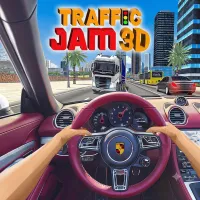


About City Rider
City Rider is a 3D car driving game that lets you explore open environments behind the wheel of different vehicles. Choose from sports cars, trucks, buggies, and more, then take them across three diverse maps. Whether you prefer drifting through city streets, testing your driving skills, or cruising through wide-open spaces, there is plenty of freedom to enjoy.
Explore Three Different Maps
Before hitting the road, select one of the available environments. City Rider features two urban maps filled with roads and buildings, along with a spacious desert map that offers plenty of room to drive around. Each location provides a different setting for exploring, drifting, and experimenting with your vehicles.
Choose Your Favorite Vehicle
There are several vehicle types to try, including race cars, trucks, and buggies. Switch between available vehicles using the number 2 key and discover how each one handles across different environments. Find the ride that matches your driving style and enjoy exploring the maps at your own pace.
How to Play City Rider
City Rider features straightforward keyboard controls that make it easy to start driving. You can steer, accelerate, brake, adjust your camera view, and activate turn signals while exploring the open maps.
- W / A / S / D: Drive and steer your vehicle.
- Space: Activate the handbrake.
- C: Change the camera angle.
- Q / E: Use the turn signals.
- 2: Switch vehicles.
Drive Freely and Customize Your Experience
Unlike traditional racing games, City Rider does not require you to complete specific objectives or compete in structured races. You are free to cruise around, practice drifting, create exciting driving tricks, and explore every map without following a fixed route.
The settings menu also offers additional options, including driving assists and driving styles. Adjust these features to change your driving experience and find a setup that suits your preferences.
Tips for Enjoying City Rider
- Explore Every Map: Try both city environments and the desert to discover different driving spaces.
- Test Different Vehicles: Experiment with race cars, trucks, and buggies to find your preferred ride.
- Practice Drifting: Use the handbrake to experiment with controlled slides around corners.
- Adjust Your Camera: Change camera angles to find a view that makes driving more comfortable.
- Explore the Settings: Experiment with driving assists and available driving styles.
Frequently Asked Questions
What is City Rider?
City Rider is a free-roaming 3D driving game where you can explore different maps, drive various vehicles, and practice drifting without a required objective.
How many maps are available in City Rider?
There are three maps to explore, including two city environments and one open desert location.
What vehicles can I drive?
You can choose from different vehicle types, such as race cars, trucks, buggies, and other available options.
How do I change vehicles?
Press the number 2 key to switch between available vehicles.
Does City Rider have a specific mission?
No. The game focuses on free driving, allowing you to explore, drift, experiment with vehicles, and perform driving tricks without completing specific missions.
Play City Rider Online
Get behind the wheel and discover the freedom of open-road driving in City Rider. Pick your favorite vehicle, choose a map, and enjoy drifting, cruising, and experimenting with different driving settings in this entertaining 3D car game!
Driving GamesDiscuss City Rider